The sigil studio · Taro’s Tarot
Sigil Generator
Give your intention a form.
Create it. Shape it. Make it yours.
A considered space for
a little personal magic.
01 / Give it an intention
Begin with a few words.
Something you want to practise, welcome, or make room for. A shape you can make your own.
Made in your browser. No account required.
Compose & refine
Choose a method, make a design, and take your time with it.
03 / Keep what matters
Your private collection.
Saved only in this browser, on this device. Clearing browser data can remove it. Project files let you take your work elsewhere.
Your saved designs will appear here. Nothing is saved until you choose to save it.
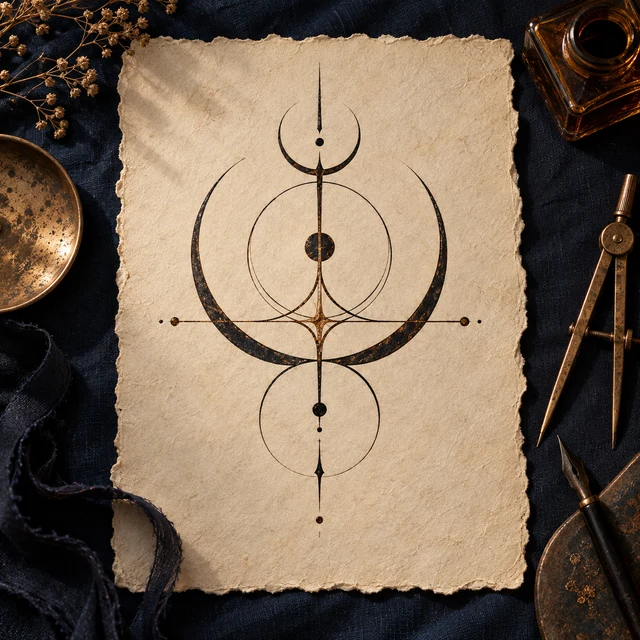
A drawing practice, made tangible
How this generator creates your sigil
A personal sigil is a symbol you make to represent an intention. This studio helps you construct one, then gives you control over its shape. The artwork responds to your words and editing choices; it is not a reading or a prediction.
Write a statement you recognise as your own. Choose a method, compare its starting arrangements, then move, rotate, mirror or redraw what feels unfinished. You can inspect the retained letters and turn on construction guides at any point.
Our automatic arrangements are contemporary adaptations. If you would like the wider practice and a complete paper-and-pencil lesson, read the illustrated sigil-making guide.
Compare the three methods
Letter composition
Your retained letters become editable forms. Our three arrangements are starting sketches; you decide how to combine them.
Letter wheel
Our A–Z wheel places 26 letters clockwise, starting at the top. Your retained sequence traces a path. This is a contemporary mapping, not a planetary square.
Free drawing
Start with a clear canvas. Draw with a finger or pointer, or add editable shapes using the controls. No letter conversion is applied.
Edit and download your design
Each letter is a selectable form. Move it with a pointer or the labelled direction controls, adjust its size, rotate it and try a mirror image. Add lines, circles, arcs or triangles; free-drawn strokes can be selected and erased like other forms. For finer changes, open “Reshape individual points.” Move a highlighted corner with its handle or the labelled controls, even after rotating the form. Undo lets you return to an earlier choice.
SVG preserves the vector geometry for further editing. PNG gives you a 2048-pixel transparent image. The stencil removes colour, while the print sheet adds a physical-size canvas and a calibration line. Use 100% scale in your print dialog. Save as PDF through your browser if you prefer.
Your saved sigils and privacy
You decide whether a design stays in the browser. Local saving is device-specific and is not encrypted storage or an online backup. Clearing site data may erase your collection. Download a project file when you want a portable copy.
Image downloads leave out the intention. Project files contain the intention, construction settings and editable geometry, so keep them somewhere appropriate. “Hide intention” reduces what is shown on the screen; it does not encrypt or delete your words.
Questions about using the generator
Is this sigil generator free?
Yes. Create, edit and download a sigil without an account. SVG, transparent PNG, stencil and project-file downloads are available. Saving in this browser is optional.
How does this sigil maker use my intention?
Letter composition turns retained A–Z letters into editable forms. The wheel method connects letters on a documented A–Z circle. Free drawing uses your words as a prompt without converting them. These are contemporary drawing aids, and you can inspect the construction.
Do I have to remove vowels?
No. Removing vowels is an optional convention in these letter methods. You can keep them; repeated letters are kept once in order of first appearance. There is no single correct appearance for a personal sigil.
Can I make a sigil in another language?
Free drawing works with an intention in any language. Letter methods use A–Z and convert accented Latin letters to their base forms. For other scripts, choose free drawing or provide your own Latin-letter rendering; the tool does not silently translate your intention.
Are my intentions and saved sigils public?
No public result pages are created. The studio processes designs in your browser. If you choose to save, the project is stored on this device in this browser. Project-file exports include your intention; ordinary image exports do not.
Will the same intention produce the same sigil?
With the same method, vowel setting and starting arrangement, yes. Your saved project keeps the exact edited geometry. Different phrases can reduce to the same letters, so uniqueness is not guaranteed.
Looking for more spiritual guidance?